Tests Content ID
Uploads short snippets to your own channel as private videos. Copy the claim page back into the app and every track gets a verdict.
Find out which tracks YouTube’s Content ID will claim before the mix goes up. TrackClear Studio tests your library from your own channel, then identifies every recording, fixes tags and genres, finds duplicates, and writes it all back as Serato and Rekordbox crates. TikTok, Twitch and SoundCloud checks are next.
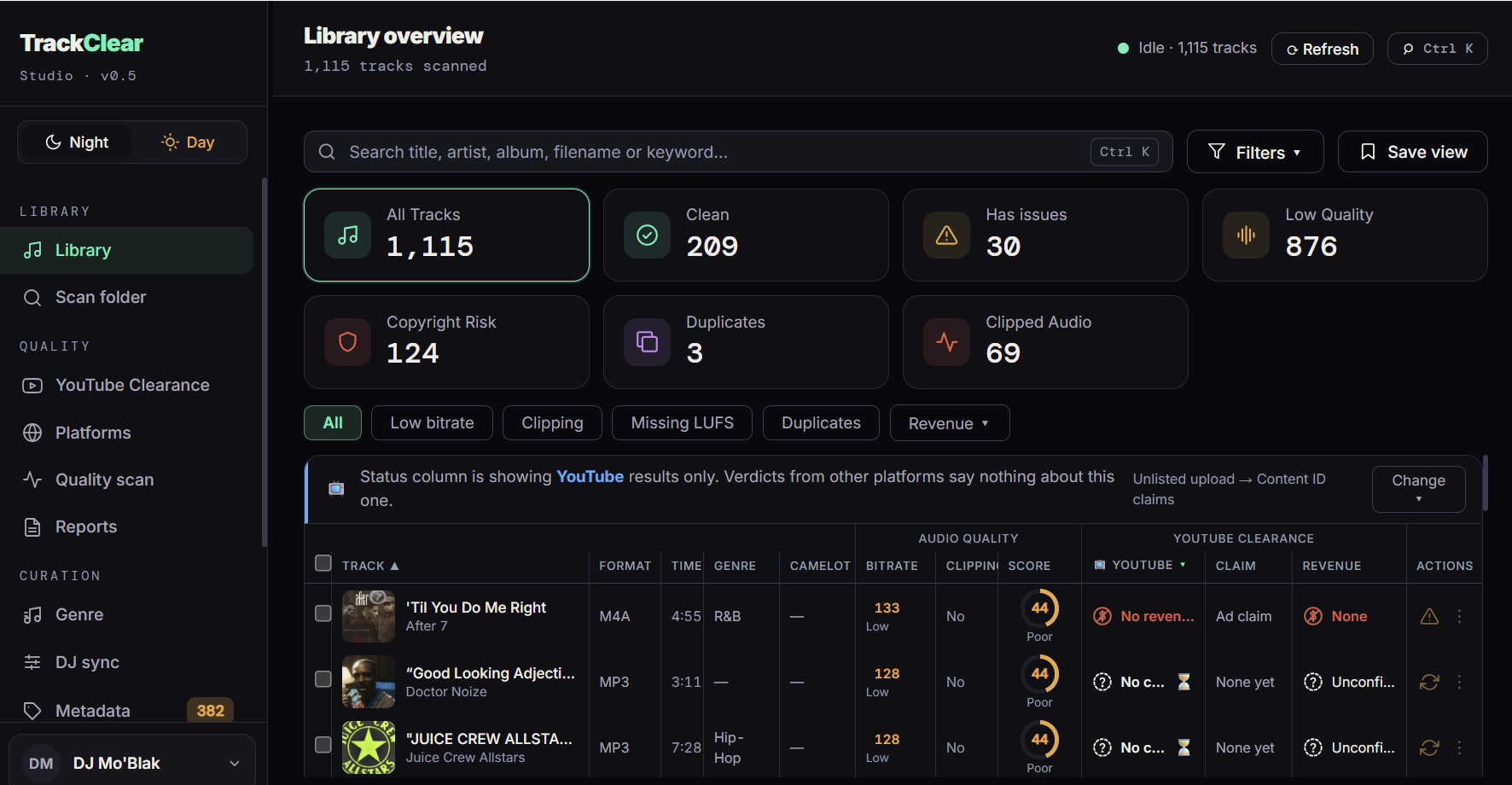
Uploads short snippets to your own channel as private videos. Copy the claim page back into the app and every track gets a verdict.
Acoustic fingerprints recognize the track itself, not the filename somebody typed.
Clean artist, title, artwork and a consistent genre across the whole library.
Duplicates, a “320” that was a 128 once, clipping, mono files.
Serato and Rekordbox crates, plus M3U8 playlists for Traktor and VirtualDJ. Sorted by clearance, by genre, or both.
Five steps, in the order you actually need them. Nothing moves, deletes or re-encodes your files.
Point it at your folders, or let it find the Serato and Rekordbox crates already on the machine.
Fingerprints work out what each recording actually is, so the rest of the results are about the right track.
Pick a crate, and TrackClear tests it against Content ID. Most results arrive within ten minutes to an hour.
Duplicates, empty fields, missing artwork, bad bitrates and the grouping tag Serato reads but iTunes does not write.
Write it all back as crates and playlists. Your existing crates are read, never overwritten.
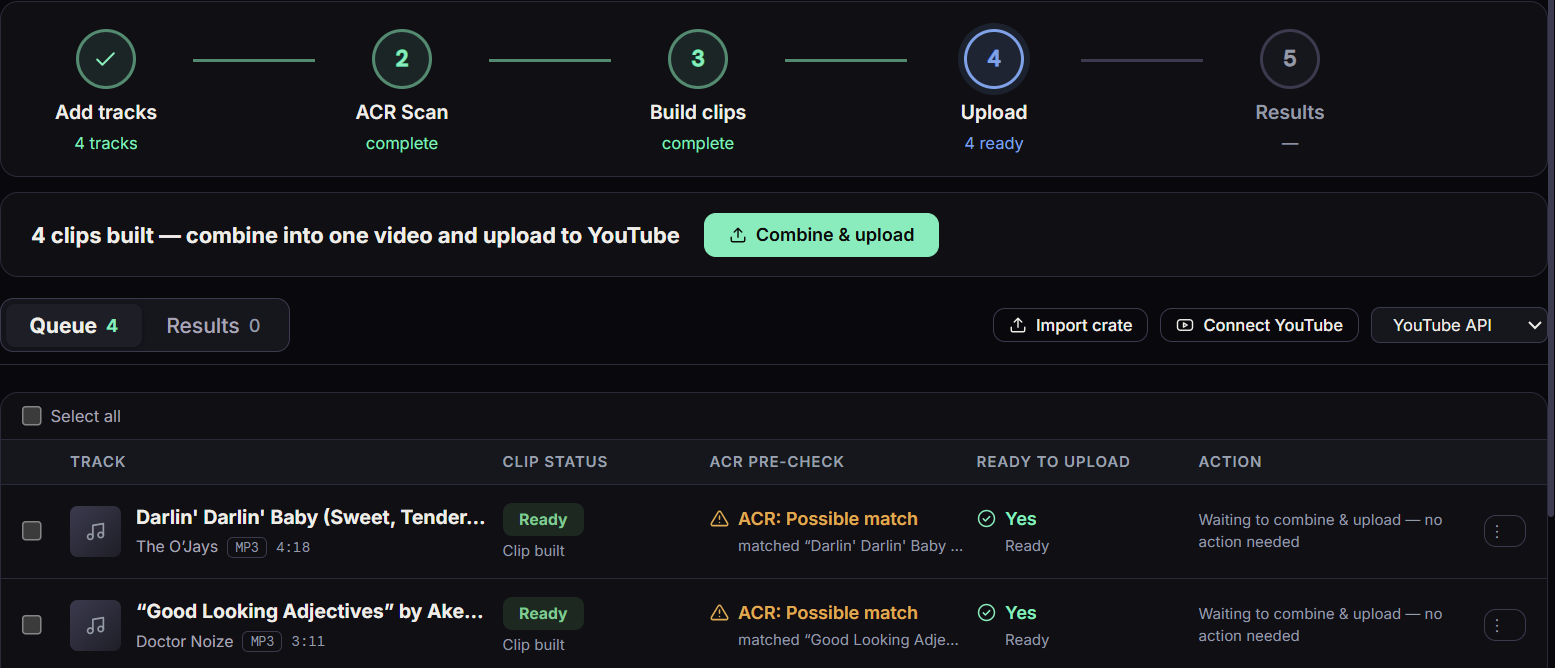
Add tracks, build short clips, combine them into one private video on your own channel, then copy YouTube’s claim page back into the app. The queue shows every track’s clip and upload state, so nothing is left guessing.
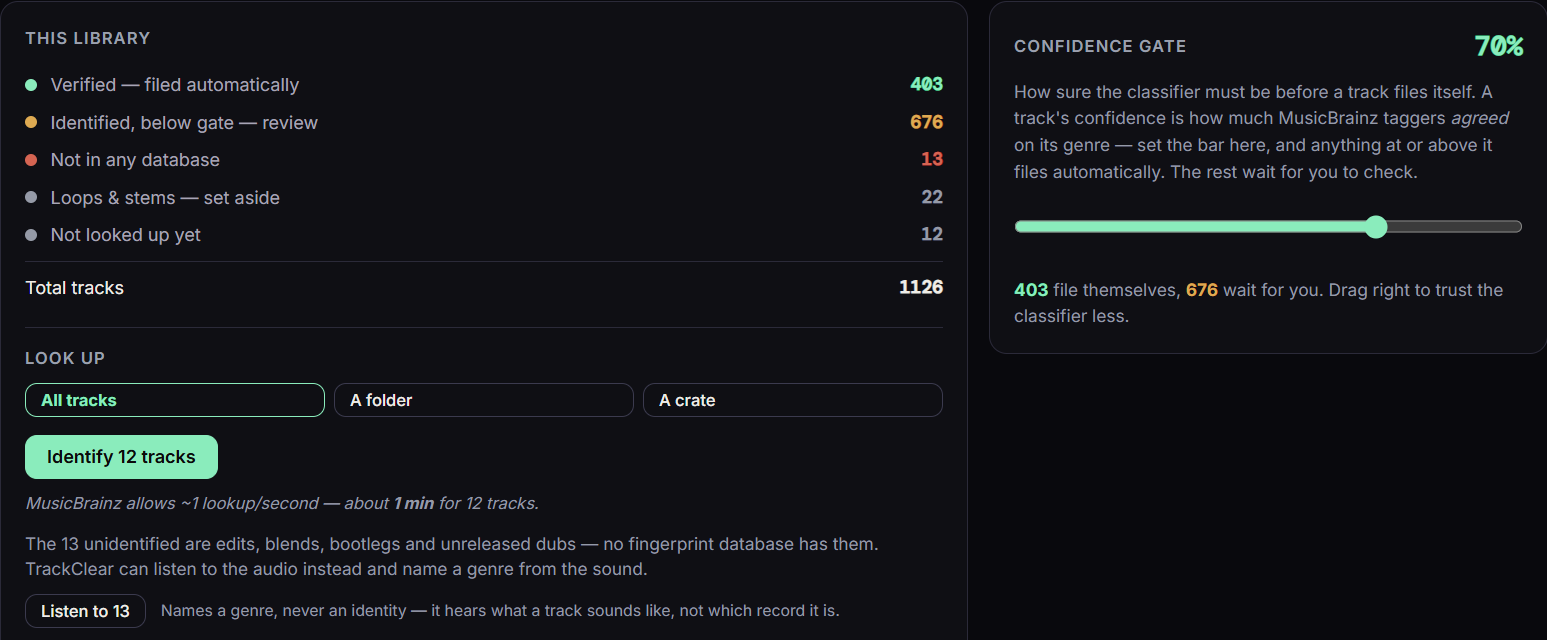
Every recording is identified from its audio and given the genre MusicBrainz taggers agreed on. A confidence gate decides what files itself and what waits for you. Edits and bootlegs no database knows get a genre from the sound alone.
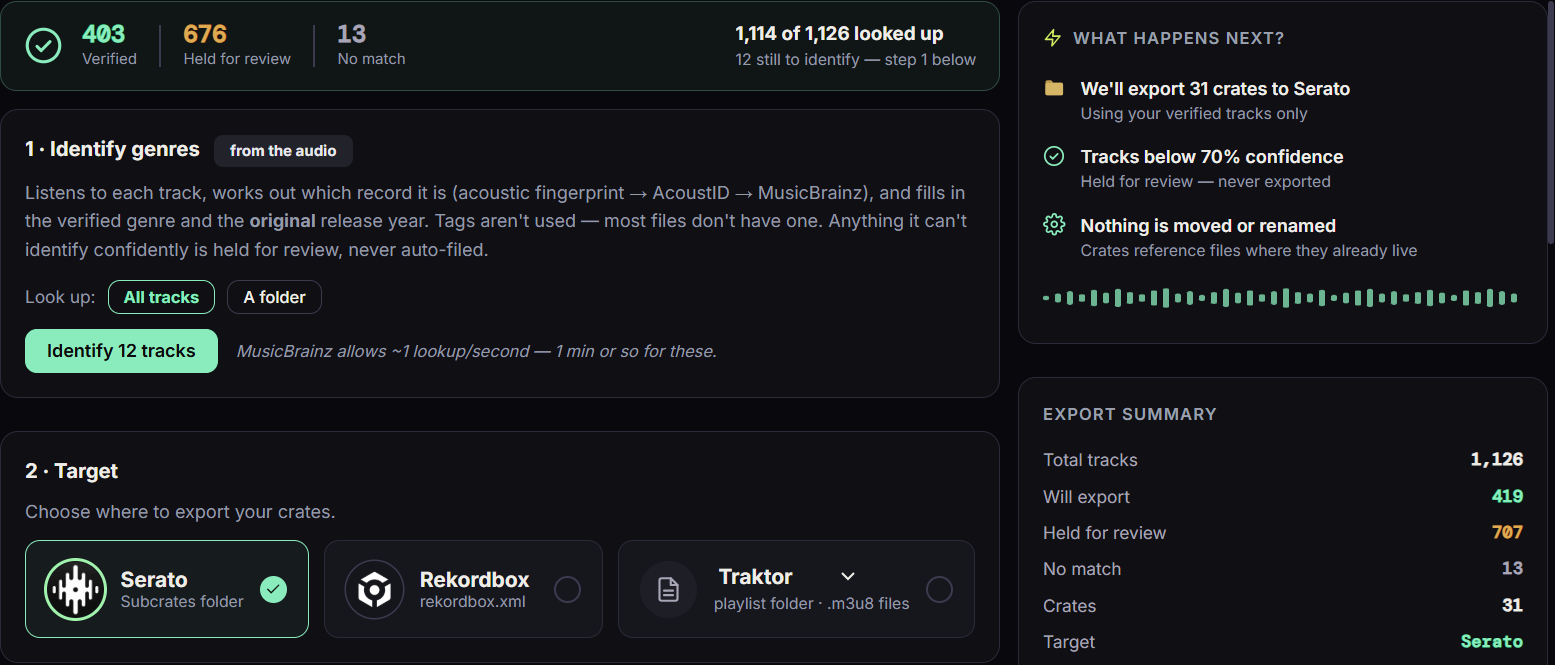
Pick Serato, Rekordbox or M3U8, set the confidence gate, and TrackClear writes the crates where your DJ software already looks. Nothing is moved or renamed, and the destination is backed up first.
Most claims are not a problem. They tell you what happens to the video, and most of the time it stays up. TrackClear tells you which one you are looking at before you post.
No claim was found, and the result has been verified rather than assumed.
A rights holder is watching the analytics only. The video stays up and the revenue stays yours.
Ads run and the money is split with the label. The video stays up; you just do not earn from it.
The track will be blocked, sometimes only in certain countries. Swap it out.
TrackClear is a desktop application, not a service you upload a library to. Everything it learns about your music lives in a database on your own computer.
Organize once, then move the prepared library back into the software you already play from. TrackClear does not replace it. Serato and Rekordbox get native crates. Traktor and VirtualDJ import the M3U8 playlists.
Everything the app does on your own computer is a one-time purchase. The subscription pays for the services that cost money every time they run.

Know which of your own tracks will be claimed on YouTube, then fix and re-crate the library. Nobody else tells a DJ that.
Sold through Lemon Squeezy. Prices in US dollars, plus VAT or sales tax where applicable — shown at checkout. 14-day refund policy — see terms.
For DJs who publish everywhere. Rides on a license; cancel any time.
YouTube clearance is inside Studio. You do not need the plan for it. Prices in US dollars, plus VAT or sales tax where applicable.
Version {{VERSION}} · All releases and release notes
| What you need | |
|---|---|
| System | Windows 10 or 11, 64-bit. A macOS build is in progress and is not available yet. |
| Disk | About 500 MB for the app, plus room for its database. |
| Internet | To identify tracks and to test clearance. Everything else works offline. |
| Account | A YouTube channel of your own, used only for clearance testing. |
| DJ software | Optional. Serato and Rekordbox crates are read if present. |
No. It prepares, tests and organizes your library, then exports it back into the software you already play from.
No. It means YouTube’s Content ID returned no claim on that recording when tested from your channel, and the result was verified. It is a report of what the platform did, not a legal opinion, and platforms can change their minds.
The only way to know what Content ID will do with a track is to ask Content ID. TrackClear uploads a short snippet video to your own channel, set to private. You copy the claim page from YouTube Studio and paste it back, and the app matches every claim to a track. The sign-in stays on your machine.
Everything works for 14 days. After that, inspecting and fixing one track at a time stays free; acting on the whole library needs the license.
It is in progress and will be a separate release. Buy once; the license covers both.
More questions, and the fixes for the six things that most often go wrong →